Report Automation: Scoping Framework and Template
By Loïc Guyon (Tileo), founder of AI Jungle · Updated · 10 min read
On this page
Report automation is a defined workflow that moves named source data through written rules into a specified report artifact for named recipients. To commission a fixed-scope report automation job, define the inputs, transformations, output, exception handling, reviewer, and observable acceptance tests before choosing a tool. The framework and copyable template below turn “automate this report” into a brief that a buyer and operator can inspect.
What does report automation mean?
In this article, reporting automation is an editorial term for a defined workflow that turns named source data into a specified report artifact and routes it to named recipients. The point is not merely to make a dashboard. The job can end in a spreadsheet, slide deck, designed document, dashboard, or another named artifact.
Deloitte describes automated reporting as bringing data-driven insights to users in a timely way without requiring them to seek the information themselves. Its example includes automatically refreshed dashboards with exports to PowerPoint, Microsoft Excel, or other file types (Deloitte).
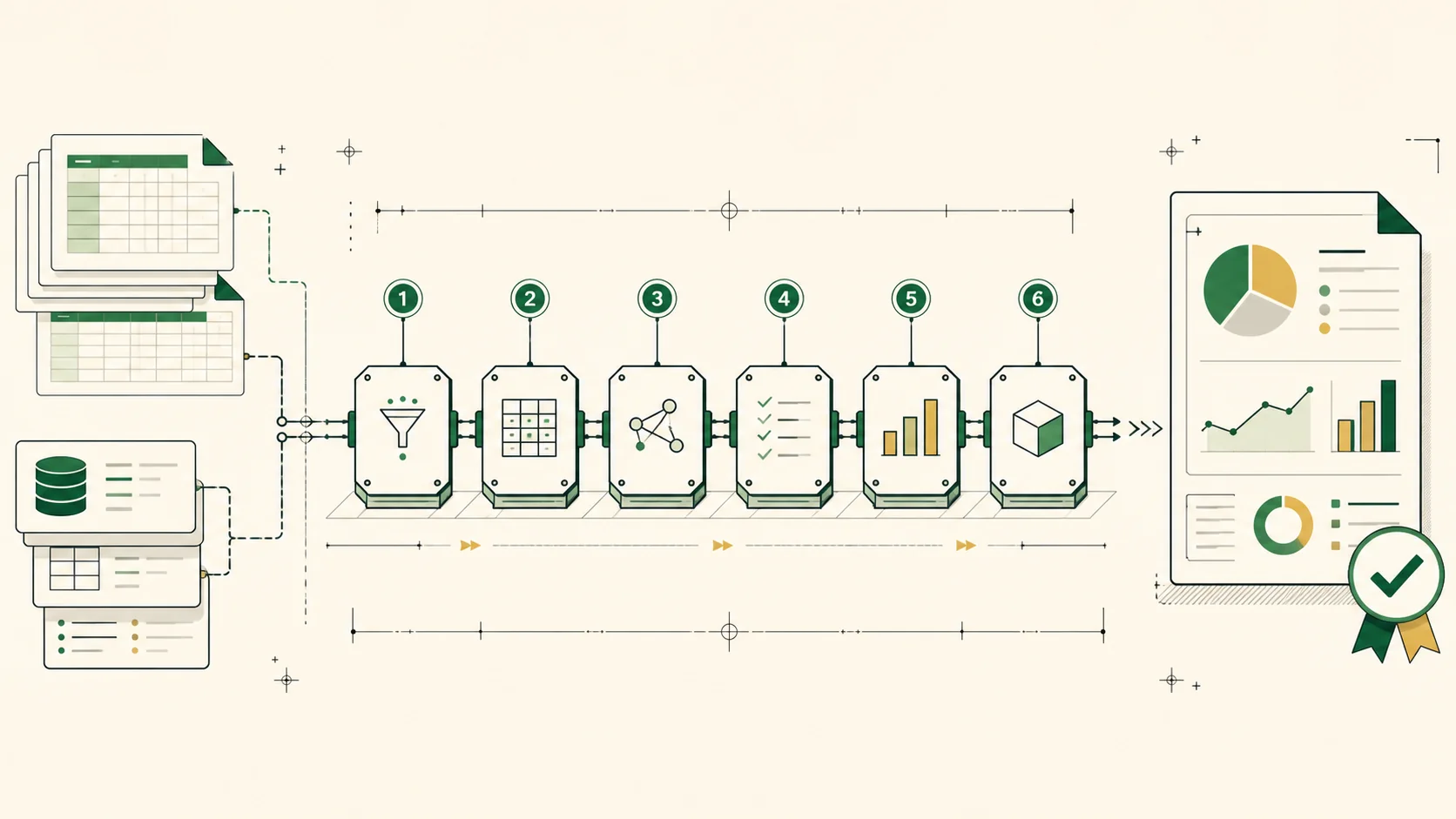
For a fixed-scope job, “automate the report” is still too vague. Pitstop recommends this scoping sequence:
- Define source inputs and access.
- Define transformation and mapping rules.
- Define the output artifact and recipients.
- Define the cadence or trigger.
- Define exception handling and human approval.
- Define acceptance tests.
Each item constrains the build. Together, they describe what one accepted run must do.
How can I automate reports?
A useful template should make every decision needed for an accepted run visible. It should let an operator inspect the request without guessing what “clean,” “summary,” or “ready” means.
| Brief field | What to specify | Concrete example entry |
|---|---|---|
| Inputs and access | Files, systems, sheets, tables, fields, and how the run receives them | Uploaded workbook, sheet named Raw Data, supplied with the request |
| Transformations | Filters, calculations, joins, mappings, labels, and ordering | Map source status values to the approved display labels |
| Output | Exact artifact, template, required sections, and recipients | Complete the supplied workbook template and return it to the named recipient |
| Timing | The schedule or event that starts a run | Start on approved request submission |
| Exception handling | Conditions that stop or divert the run | If a required column is missing, stop and send the workbook to the reviewer |
| Reviewer | The person or role that decides flagged cases and approves the artifact | Operations lead reviews missing columns and mapped fields |
| Acceptance test | Observable pass or fail conditions for the returned artifact | Pass when every required tab exists and each mapped field follows the written rule |
Copyable report automation request template
Copy this block and replace every bracketed field:
JOB
Create [report name] for [recipient or use].

SOURCE INPUTS AND ACCESS
- Input: [file, system, sheet, table, or field set]
- Access method: [how the accepted run receives it]
- Required fields: [field names]

TRANSFORMATION AND MAPPING RULES
- Include: [records or conditions]
- Exclude: [records or conditions]
- Calculate: [formula or rule]
- Map: [source value] -> [output value]
- Order or group by: [rule]

OUTPUT ARTIFACT AND RECIPIENTS
- Format: [spreadsheet, slide deck, document, dashboard, or named format]
- Template: [supplied template or exact structure]
- Required sections: [tabs, pages, tables, or charts]
- Recipients: [names or roles]

CADENCE OR TRIGGER
- Start when: [schedule or event]

EXCEPTIONS AND HUMAN APPROVAL
- If [condition], then [stop, flag, or send for review]
- Human approval required for: [named checks]
- Approver: [name or role]

ACCEPTANCE TESTS
- Pass when: [observable condition]
- Pass when: [observable condition]
- Fail when: [observable condition]
If the source data itself needs a defined cleanup pass, scope that separately as spreadsheet cleanup. If the source begins as invoices, specify the extraction boundary before reporting; the invoice extraction service shows how that input job can be isolated.
What are practical report automation examples?
The useful unit is not an industry label. It is a precise input-to-artifact job. Here are practical request shapes:
- Turn a supplied workbook into a completed report template using named field mappings, then flag missing required columns for human review.
- Extract approved fields from invoice inputs, apply the supplied mapping rules, and produce a recipient-ready spreadsheet. This can begin with a separately scoped data extraction service.
- Refresh an approved dashboard from defined source inputs, then export the named artifact for listed recipients. Deloitte describes automatically refreshed dashboards with export to PowerPoint, Microsoft Excel, or other file types (Deloitte).
Each example still needs rules. “Create a management report” does not identify the source, mapping, artifact, trigger, exception path, or test. “Populate this supplied workbook template from these named fields, stop when a required column is absent, and send it to the named approver” does.
Can a model create a report?
A model can be one component in a proposed report-creation job when the brief supplies the source inputs, transformation rules, target artifact, recipients, trigger, exceptions, approval point, and acceptance tests. This is Pitstop's scoping recommendation, not a product test.
Treat the model as one possible component in the job, not as the scope itself. A prompt cannot resolve an undefined mapping rule. It also cannot determine which artifact a recipient expects unless the request says so.
For a proposed model-assisted run, define:
- The exact inputs the model may process.
- The transformations and mappings it must follow.
- The artifact it must return.
- The condition that sends the work to a human approver.
- The acceptance tests applied to the returned artifact.
If an output fails a test, the exception path should say whether the run stops, is flagged, or moves to review. That decision belongs in the request before acceptance.
What are the best report automation tools?
You do not need to pick a tool first. Start with the job boundary. Source access, transformation rules, output artifact, and exception path determine the tool class.
| Job constraint | Tool capability to inspect |
|---|---|
| Data lives in a named system | Access to that source through the approved method |
| Inputs require mappings or calculations | Rule execution against the defined fields |
| Deliverable is a spreadsheet, deck, document, or dashboard | Generation or export of that exact artifact |
| A run can encounter missing or invalid input | A defined path to stop, flag, or request human approval |
| Delivery follows a schedule or event | Support for the specified cadence or trigger |
| Acceptance depends on observable conditions | A way to inspect the output against those tests |
The following is Pitstop's editorial scoping recommendation, not a ranking, product test, or feature, price, or performance comparison:
| Scoped need | Tool class or product path to inspect | Bounded fit supported by the source |
|---|---|---|
| Repeat actions inside an Excel workbook | Office Scripts in Excel | Microsoft describes recording workbook actions with the action recorder, reviewing or editing the generated script in the code editor when needed, and running the script against the workbook (Microsoft Learn). |
| Place an Excel script inside a scheduled or event-driven workflow | Office Scripts with Power Automate | Microsoft documents running Office Scripts for Excel from a Power Automate workflow (Microsoft Learn). |
| Refresh a Power BI semantic model | Power BI scheduled refresh | Microsoft documents selecting a gateway connection and configuring scheduled refresh for a semantic model in the Power BI service (Microsoft Learn). |
| Connect data ingestion and loads to an automatically refreshed dashboard, then export a named file type | Automated business-intelligence reporting flow | Deloitte describes data flows connecting ingestion and loads to interactive, automatically refreshed dashboards with export to PowerPoint, Microsoft Excel, or other file types (Deloitte). |
This answers the “tool first” objection directly. A Power BI path can be inspected when the scoped job calls for a refreshed semantic model because Microsoft documents scheduled-refresh configuration for that narrow case (Microsoft Learn). A template-driven document job calls for a different output capability.
Do not let the product category silently rewrite the deliverable. If recipients need a completed spreadsheet or slide deck, “view the dashboard” is not the same acceptance condition. Name the artifact first, then inspect tools against it.
How can I automate reports in Excel?
Deloitte lists Microsoft Excel among the file types that automated reporting can export (Deloitte). For actions within a workbook, Microsoft describes the Office Scripts action recorder and code editor (Microsoft Learn).
For an Excel report, Pitstop recommends scoping these items before selecting a tool:
- Name the source workbook, system, sheets, tables, and required fields.
- Write every approved filter, calculation, mapping, label, and grouping rule.
- Name the target workbook, required tabs, tables, charts, and recipients.
- State when the job starts.
- State what happens when a required field, sheet, or value is missing.
- Name the reviewer and observable pass or fail checks.
One concrete Excel path is to record the repeated workbook action with the Office Scripts action recorder, review or edit the generated script in the code editor when needed, and then run that script against the workbook (Microsoft Learn). If the scoped job needs a scheduled or event-driven workflow, Microsoft documents running the Office Script from Power Automate (Microsoft Learn). The trigger itself, access method, exception path, reviewer, and acceptance tests still belong in the brief.
Which tool is best for Excel automation? Pitstop has no context-free winner. Office Scripts is an editorial candidate when the defined work is a repeated workbook action; Office Scripts with Power Automate is an editorial candidate when that script must sit inside a bounded scheduled or event-driven workflow. These are scoping recommendations based on the documented mechanics above, not product testing.
How can Excel generate reports? Use the recorded-script path above only after the input, workbook structure, rules, output, timing, exceptions, reviewer, and tests are named. Do not treat recording as a substitute for those decisions.
How do you hand off a report automation job?
Hand off the request as a fixed-scope run, not as an open-ended automation ambition. The receiving operator should be able to identify the inputs, apply the rules, produce the artifact, route exceptions, and test the result from the request alone.
Use this acceptance checklist before submission:
- Every source input is named.
- The access method for each input is defined.
- Transformations and mappings are written as explicit rules.
- The output format, template, and required sections are named.
- Recipients are identified.
- The cadence or trigger is stated.
- Exception conditions and the human approver are named.
- Every acceptance test has an observable pass or fail result.
- Any credential or API-key requirement is marked as BYOK after acceptance.
BYOK after acceptance keeps credential requirements visible without making them a prerequisite for describing the job. First agree on the bounded request. Then provide the required key for the accepted run.
The handoff should also preserve scope boundaries. If cleanup, extraction, or an accounting workflow is a separate input job, name it separately. For an adjacent workflow example, see accounting automation.
Report automation FAQ
What does report automation mean?
For this guide, report automation means a defined workflow that moves named source data through written rules into a specified report artifact for named recipients. Pitstop scopes the job through inputs, rules, outputs, timing, exceptions, and acceptance tests.
How can I automate reports?
Use Pitstop's six-step scoping method: name source inputs and access, write transformation rules, define the output and recipients, state timing, route exceptions and approval, then write acceptance tests.
What are the best report automation tools?
Pitstop does not recommend one tool without a scoped job. Compare tool classes against source access, rule execution, the exact output, timing, exception handling, and acceptance checks.
How can I automate reports in Excel?
For a repeated workbook action, record it with the Office Scripts action recorder, review or edit the generated script when needed, then run the script against the workbook (Microsoft Learn). Microsoft also documents running Office Scripts from Power Automate for a bounded workflow path (Microsoft Learn).
Which tool is best for Excel automation?
There is no context-free best tool in Pitstop's method. Choose only after the brief states how data enters the job, which workbook rules apply, what file must be returned, and how the result will be checked.
How can Excel generate reports?
Record a repeated workbook action with the Office Scripts action recorder, review or edit the generated script if needed, then run it against the workbook (Microsoft Learn). If the scoped job needs a scheduled or event-driven workflow, Microsoft documents running that script from Power Automate (Microsoft Learn).