Document comparison tool workflow: make the reviewed version the sent version
By Loïc Guyon (Tileo), founder of AI Jungle · Updated · 8 min read
On this page
- What should a document comparison tool do?
- Which document comparison tool fits each format?
- How do you compare two documents before sending?
- Why is a final comparison necessary?
- How does exact-text approval fit after document comparison?
- What should the work record preserve?
- Document comparison tool FAQ
- Make exact-text approval the final step
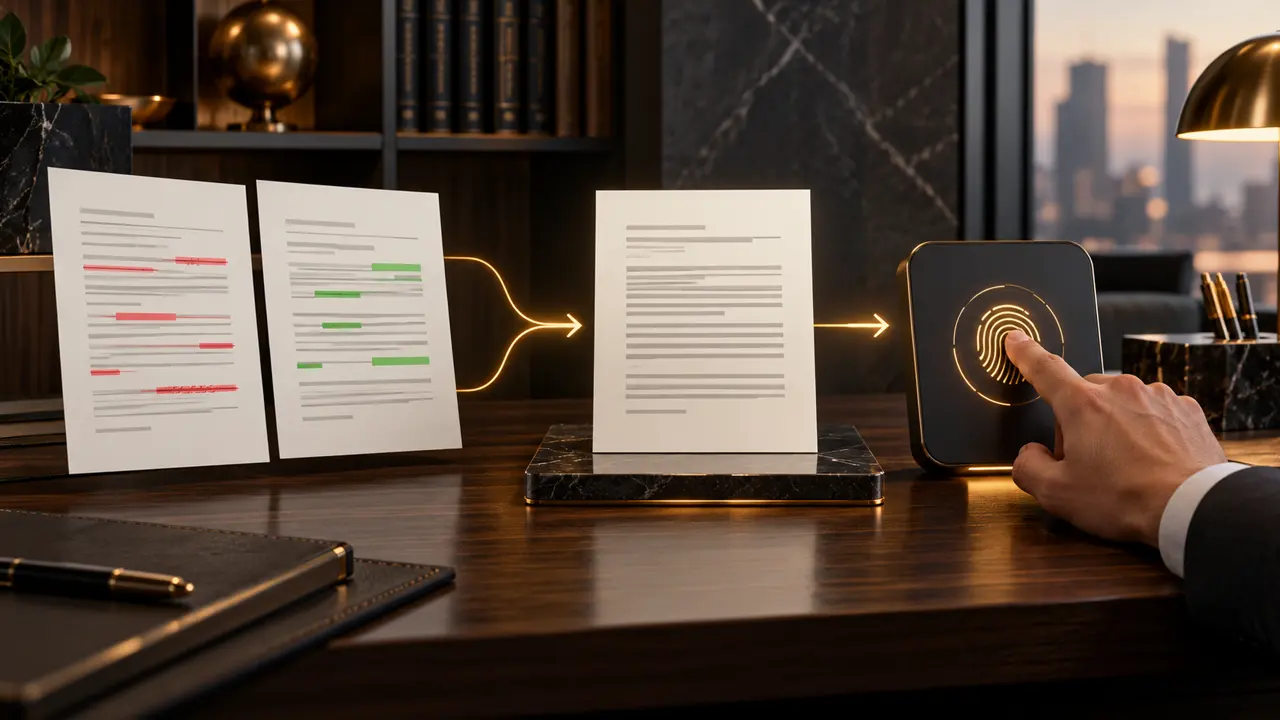
A document comparison tool shows differences between original and revised files. Choose by format: Word Compare for Word documents, Acrobat Compare Files for PDFs, or a documented side-by-side redline utility for supported formats. Inspect every material change against both sources, resolve the final wording, and compare the candidate final version with the reviewed version. Only then should a person approve the exact outbound text. The approved version must remain identical to the version leaving the firm; after any edit, request approval again. Retain the sources, comparison, reviewer decision, and final approval.
These separate comparison, interpretation, resolution, and approval steps prove that agreed wording survives client-facing delivery.
What should a document comparison tool do?
The right tool must produce a reviewable account of change in the file format your team actually uses.
At minimum, the reviewer needs to identify additions, deletions, and modifications without manually reading two entire files line by line. The comparison output should make it practical to trace a change back to the original and revised sources. It does not decide whether the change is correct, commercially acceptable, or ready for a client.
That distinction matters in professional services. A small wording change can alter the scope of a mandate, the meaning of a client update, or the conditions attached to a recommendation. A deterministic diff can identify that two strings differ, but a person still needs to interpret the difference and accept or reject the resulting text.
Which document comparison tool fits each format?
Start with file format and required review output, not with a generic list of features.
Word, PDF, and plain text create different review needs. Use the narrowest tool that reliably handles the source files and gives the reviewer a comparison artifact they can inspect.
| Source format | Method to consider | Comparison result | Best operating use |
|---|---|---|---|
| Microsoft Word | Word Compare | A new third document displaying differences as tracked changes | Reviewing two editable Word versions while leaving both sources unchanged |
| Acrobat Pro Compare Files | A comparison result for two PDF versions | Reviewing changes where the working versions are PDFs | |
| Word, PDF, or text | A documented side-by-side redline utility such as Draftable | Changes presented side by side with redlining | Comparing a supported pair when a side-by-side view suits the reviewer |
Information checked 23 October 2026. Microsoft says Word Compare merges changes from the revised copy into a new copy based on the original version. The original copy remains untouched, and revision marks show any differences. Adobe documents a Compare Files workflow in Acrobat Pro for two PDF versions that produces a comparison result. Draftable states that its public comparison page accepts Word, PDF, and text files and presents changes side by side with redlining.
Tool selection is not approval. The comparison view creates evidence for review. Your operating process must still define who decides the final wording, which artifact is the candidate final version, and how that exact version receives sign-off.
How do you compare two documents before sending?
Move from two preserved sources to one approved final artifact through seven explicit stages.
- Identify the original and revised files. Confirm which is which, label them clearly, and keep both intact. Do not overwrite one source with the other.
- Choose the method by format. Use Word Compare for Word, Acrobat Compare Files for PDF, or a documented side-by-side or redline utility that supports the files.
- Produce and inspect the comparison artifact. Review every material addition, deletion, and modification against both source documents. Do not assume that a visible change explains its own significance.
- Resolve the final wording. Accept, reject, or rewrite changes as appropriate, record the reviewer’s decision, and create a clearly named candidate final version.
- Run the last comparison. Compare the candidate final version with the reviewed version. This catches edits, formatting clean-up, or copying changes introduced after substantive review.
- Approve the exact final text. A person reviews the actual outbound content and gives sign-off to that version. If the content changes afterward, request approval again.
- Keep the records distinguishable. Preserve the source versions, comparison artifact, reviewer decision, candidate or final document, and final approval as separate items in the work record.
This sequence makes handoffs easier to audit. A partner can see what changed, what the reviewer decided, and which text was ultimately approved. It also prevents a common ambiguity: a file can be reviewed in substance while a later copy, export, or message contains different wording.
Why is a final comparison necessary?
The dangerous gap is often between “review complete” and “ready to leave,” not between the first two drafts.
After the main review, someone may remove comments, accept tracked changes, adjust a name, paste text into an email, or produce a clean client version. Any of those actions can create a difference between the reviewed text and the outbound text. A last comparison is the practical test that closes this gap.
The comparison should answer a narrow question: is the candidate final version identical in substance to what the reviewer accepted? If it is not, the reviewer must assess the difference. Do not dismiss a change merely because it appeared during formatting or preparation. Resolve it, recreate the candidate final version if needed, and compare again.
A useful pre-approval check asks:
- Are the original and revised source files still intact and correctly labelled?
- Has every material difference been inspected against both sources?
- Are unresolved comments, tracked changes, or alternative clauses absent from the candidate final version?
- Does the last comparison show that the candidate final text matches the reviewed text?
- Is the person approving looking at the exact text intended to leave the firm?
How does exact-text approval fit after document comparison?
Comparison establishes what changed; exact-text approval establishes which final content a person authorized.
Pitstop is the workspace where your team and your AI agents run the firm together. It is designed for professional-services firms of 5 to 50 people, starting with executive search, then recruiting, M&A advisory, and consulting. Its role in this workflow begins after the firm’s own document comparison and review process.
With Pitstop’s human-in-the-loop approval, agents ask before anything leaves and a person approves the exact text. Approval is tied to the SHA-256 fingerprint of that content. If the text changes after approval, the fingerprint no longer matches, so the agent has to ask again. The journal shows any gap between the approval state and the content at issue.
This is a clean boundary. Pitstop does not need to be presented as the tool that performs the diff. The firm chooses and operates its comparison method, reviewers resolve the content, and Pitstop provides the approval control for the exact outbound text. Autonomy can be set per agent and per action type. Agents can request approval and read its status, but cannot approve, edit, or refuse their own request.
For a fuller treatment of controlled text workflows, read legal document automation. Teams assessing adjacent recruiting workflows can also review recruiting automation tools.
What should the work record preserve?
A defensible work record separates evidence of change from the decision and the approval.
Do not collapse every artifact into a folder of similarly named files. Keep each item’s role clear so that a partner or reviewer can reconstruct the sequence without guessing.
- Original source: the baseline document used for comparison.
- Revised source: the proposed or received new version.
- Comparison artifact: the output that exposes differences between the two sources.
- Reviewer decision: the record of accepted, rejected, or rewritten material changes.
- Candidate final version: the clean text produced after resolving review decisions.
- Last comparison: the check between the candidate final version and the reviewed version.
- Final approval: sign-off tied to the exact final text.
This separation creates a usable audit trail. It makes clear that the comparison artifact is not itself the approved document and that approval of one version does not silently carry over to a later edit.
Document comparison tool FAQ
The best answers separate file comparison from human review and final approval.
What is the best way to compare two documents?
Keep both source files intact, select a tool that supports their format, generate a comparison artifact, and inspect every material difference against both sources. Resolve the final text, then compare the candidate final version with the reviewed version before exact-text approval.
Can ChatGPT compare documents?
An AI system may help discuss supplied text, but your process still needs a documented comparison method, preserved sources, a reviewable artifact, and a person who interprets and accepts material changes. Do not substitute a conversational answer for the final comparison and approval record.
Does Microsoft Word have a comparison tool?
Yes. Microsoft states that Word Compare merges changes from the revised copy into a new copy based on the original version. The original copy remains untouched, and revision marks show any differences.
What is the best free document comparison software?
There is no single choice for every workflow. Start by checking format support and whether the output is suitable for review. Draftable’s public compare page says it accepts Word, PDF, and text files and presents changes side by side with redlining. Evaluate any tool within your firm’s own requirements, and do not treat the tool’s output as a substitute for reviewer judgment.
What happens if the final text changes after approval?
Request approval again. In Pitstop, approval is tied to the SHA-256 fingerprint of the exact content. An edit changes the fingerprint, so the prior approval no longer matches the new text.
Make exact-text approval the final step
Once comparison and review are complete, keep the approved version aligned with the outbound text.
Pitstop gives professional-services teams guardrails for human approval after their document review process. It is available at one price per firm, never per seat, with a free plugin. See pricing details or Get Pitstop for your firm.